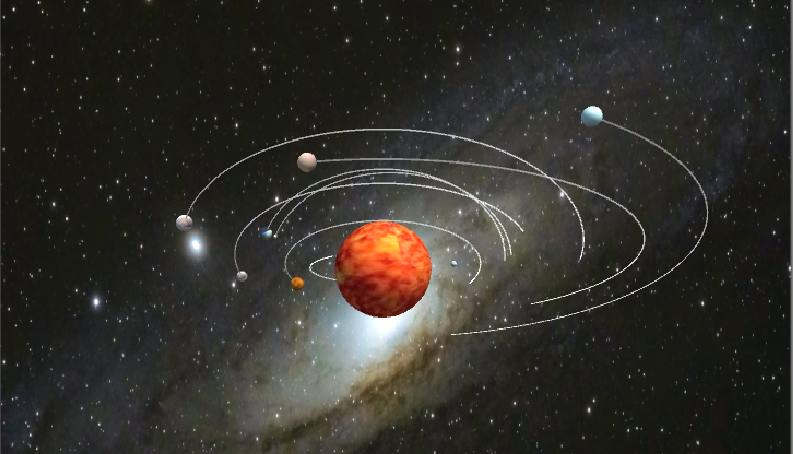
项目地址:https://github.com/liangwj45/Unity-3D/tree/master/HW3/太阳系
视频链接:https://www.bilibili.com/video/av68259514
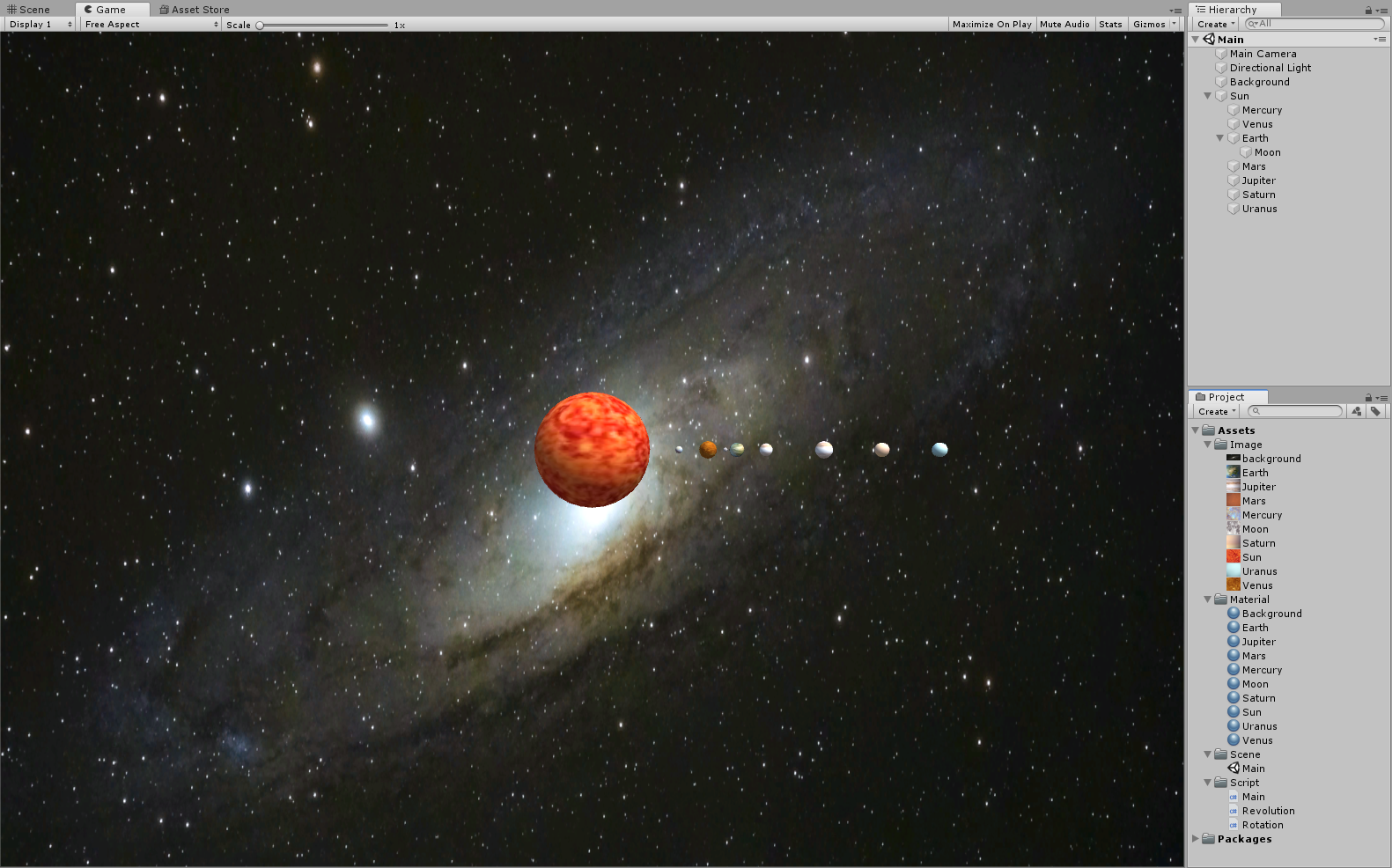
添加对象与贴图
添加太阳和各行星的对象,并为其添加样式,添加背景。
编写实现公转代码
编写 Revolution 类,Revolution 类具有三个属性,围绕 center 进行旋转。
center:公转的中心plane:旋转平面speed:旋转速度
1
2
3
4
5
6
7
8
9
10
11
12
| using System.Collections;
using System.Collections.Generic;
using UnityEngine;
public class Revolution :MonoBehaviour {
public GameObject center;
public Vector3 plane = new Vector3(0, 1, 0);
public float speed = 50;
void Update() {
this.transform.RotateAround(center.transform.position, plane, speed * Time.deltaTime);
}
}
|
编写实现自转代码
编写 Rotation 类,Rotation 类具有一个属性,围绕自身进行旋转。
1
2
3
4
5
6
7
8
9
10
11
| using System.Collections;
using System.Collections.Generic;
using UnityEngine;
public class Rotation :MonoBehaviour {
public Vector3 plane = new Vector3(0, 1, 0);
public int speed = 10;
void Update() {
this.transform.RotateAround(this.transform.position, plane, speed * Time.deltaTime);
}
}
|
将代码绑定到对象上
首先在 Start 方法中找到本对象的子对象,然后依次给该子对象添加公转行为、运行轨迹和自转行为。
- AddRevolution:
- 设置旋转中心;
- 设置速度,速度设置为与自身位置相关的一个值,由于各行星的初始位置不同,因此他们会获得不同的公转速度;
- 设置旋转平面,定义一个随机生成的 Vector3 变量,由此可以获得一个随机的旋转平面。
- SetTrailRenderer:
- AddRotation:
相关代码编写完毕后,将 Main 脚本添加到 Sun 对象和 Earth 对象上,然后将 Rotation 脚本添加到 Sun 对象上,即完成各行为与对象的绑定。
1
2
3
4
5
6
7
8
9
10
11
12
13
14
15
16
17
18
19
20
21
22
23
24
25
26
27
28
29
30
31
32
33
34
35
36
37
38
39
40
41
42
43
44
45
46
47
| using System.Collections;
using System.Collections.Generic;
using UnityEngine;
public class Main :MonoBehaviour {
void Start() {
int i = transform.childCount;
while (i-- > 0) {
AddRevolution(transform.GetChild(i), transform.gameObject);
SetTrailRenderer(transform.GetChild(i));
AddRotation(transform.GetChild(i));
}
}
private void AddRevolution(Transform trans, GameObject center) {
GameObject obj = trans.gameObject;
obj.AddComponent<Revolution>();
Revolution r = obj.GetComponent<Revolution>();
r.center = center;
r.speed = 300 / obj.transform.position.x * Random.Range(1f, 1.5f);
r.plane = new Vector3(0, Random.Range(0, 1000) / 10f, Random.Range(0, 1000) / 10f);
}
private void SetTrailRenderer(Transform trans) {
GameObject obj = trans.gameObject;
obj.AddComponent<TrailRenderer>();
TrailRenderer tr = obj.GetComponent<TrailRenderer>();
tr.time = 3;
tr.startWidth = 0.1f;
tr.endWidth = 0.1f;
tr.material = new Material(Shader.Find("Sprites/Default"));
float alpha = 1.0f;
Gradient gradient = new Gradient();
gradient.SetKeys(
new GradientColorKey[] { new GradientColorKey(Color.grey, 0.0f), new GradientColorKey(Color.white, 1.0f) },
new GradientAlphaKey[] { new GradientAlphaKey(alpha, 0.0f), new GradientAlphaKey(alpha, 1.0f) }
);
tr.colorGradient = gradient;
}
private void AddRotation(Transform trans) {
GameObject obj = trans.gameObject;
obj.AddComponent<Rotation>();
Rotation r = obj.GetComponent<Rotation>();
r.plane = obj.GetComponent<Revolution>().plane;
}
}
|
运行程序
点击开始按钮,查看运行结果。